Learn English vocabulary with OrigDic
OrigDic English vocabulary learning is a spotlight page that presents the same OrigDic app with focus on vocabulary retention and spaced review. Words you look up flow directly into practice, playback, and example review.
Fits classroom prep and review, exam study, and short sessions during commutes.
Main learning features
4-choice and 8-choice quizzes / playback study / example playback / history and favorites / CEFR and Eiken grade guides
Who this learning style suits
- A little every day: Quick review of looked-up words from history
- Exam prep: Narrow range by CEFR, Eiken grade, or school level
- Sound plus meaning: Learn while hearing pronunciation and examples
- Your own pace: Save weak or important words in favorites for focused review
Learning flow
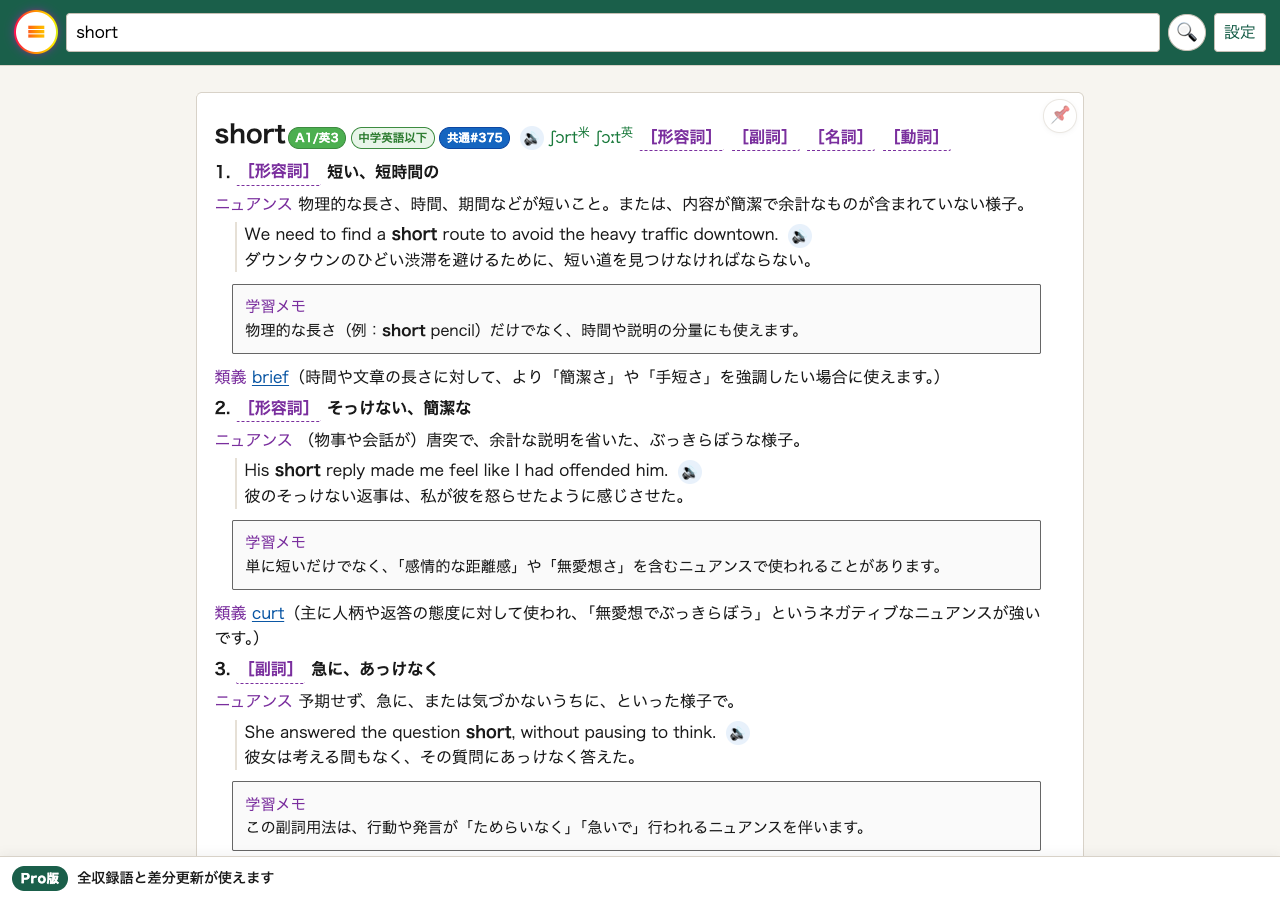
- Look upCheck meaning, part of speech, pronunciation, examples, and nuance at once.
- SaveWords stay in history; pin repeats to favorites.
- FilterChoose study range by CEFR, Eiken grade, school level, and more.
- PracticeConfirm retention with 4-choice, 8-choice, playback study, and example playback.
- Keep goingPoints and scores help you stay on track.
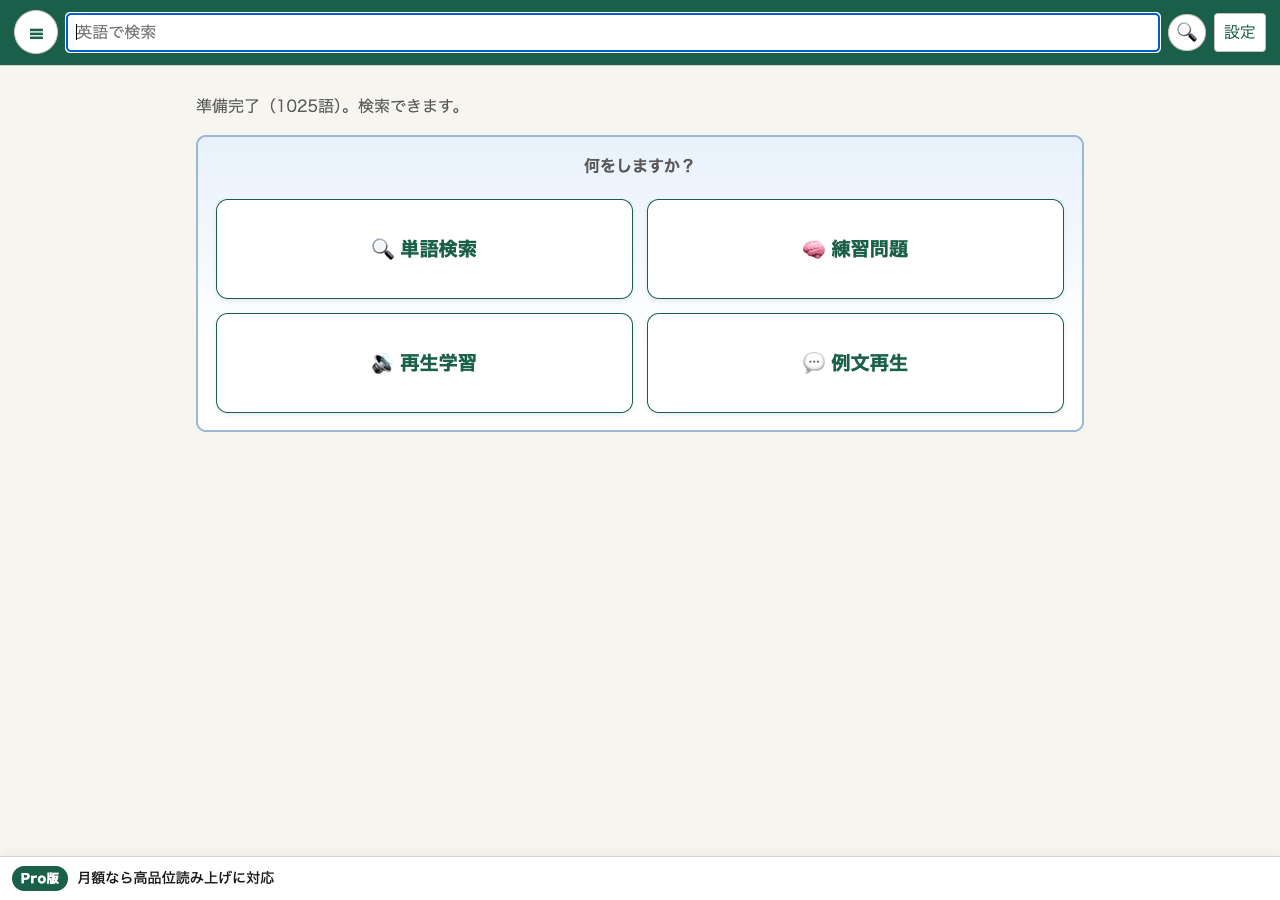
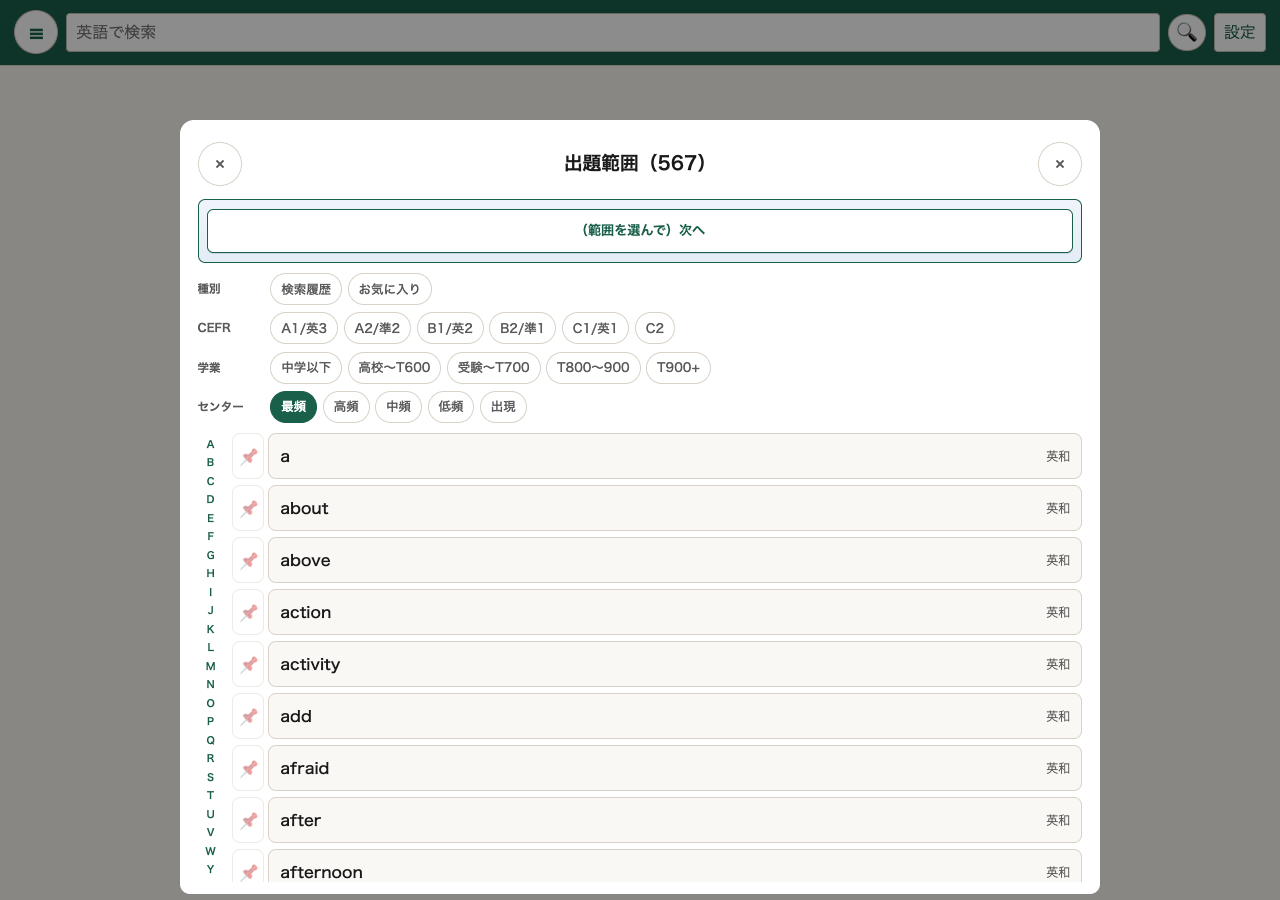
Screens captured anonymously from the production PWA on 2 Sep 2026. Display may change with public releases.
Check with multiple-choice quizzes
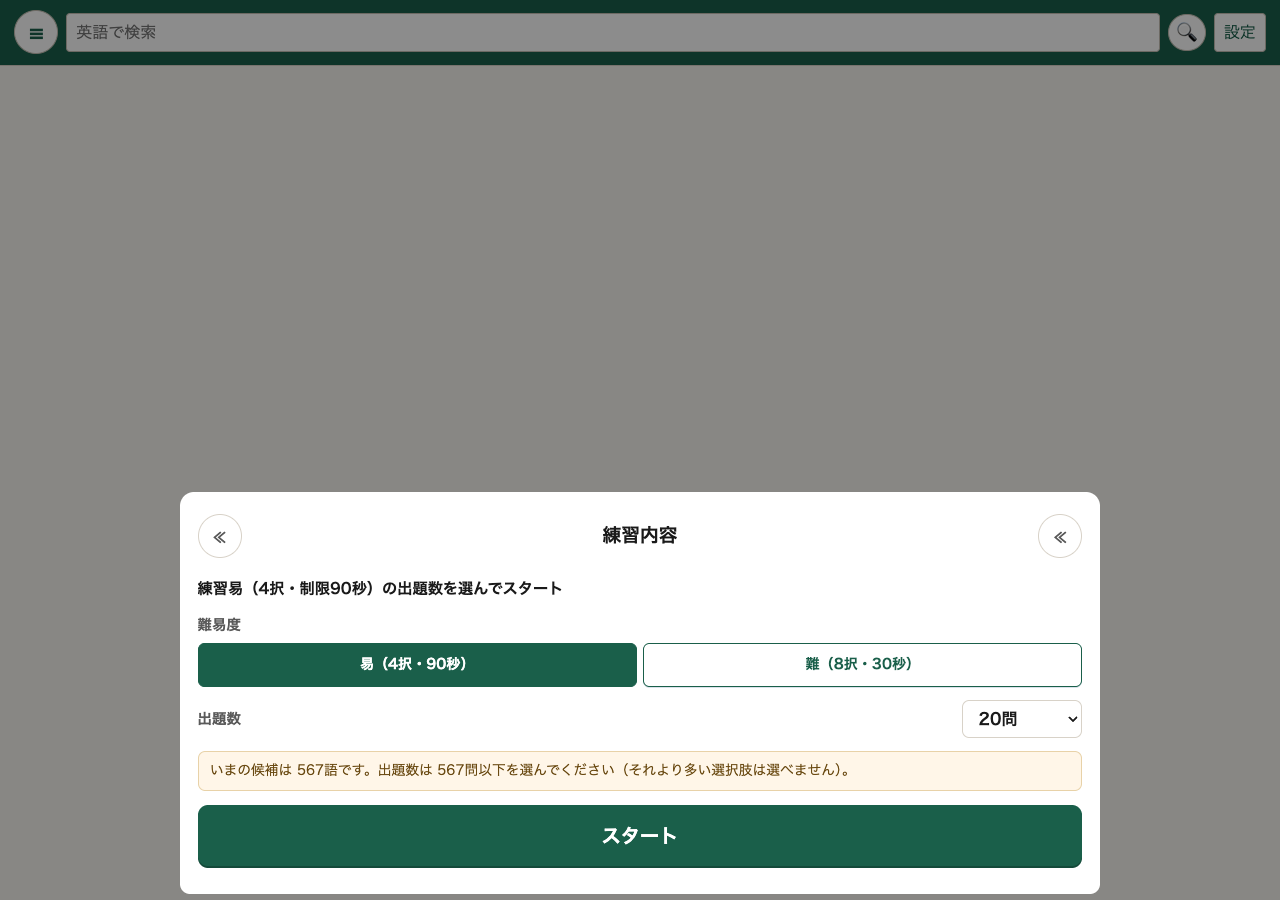
Start with easier 4-choice or move to 8-choice with more distractors. Adjust question count and time limits for quick checks or longer sessions.
- 4-choice (easy): First pass and basic vocabulary retention
- 8-choice (hard): Train discrimination when similar meanings appear
- Fill-in-the-blank: Confirm words in context with examples and study notes
Learn by listening
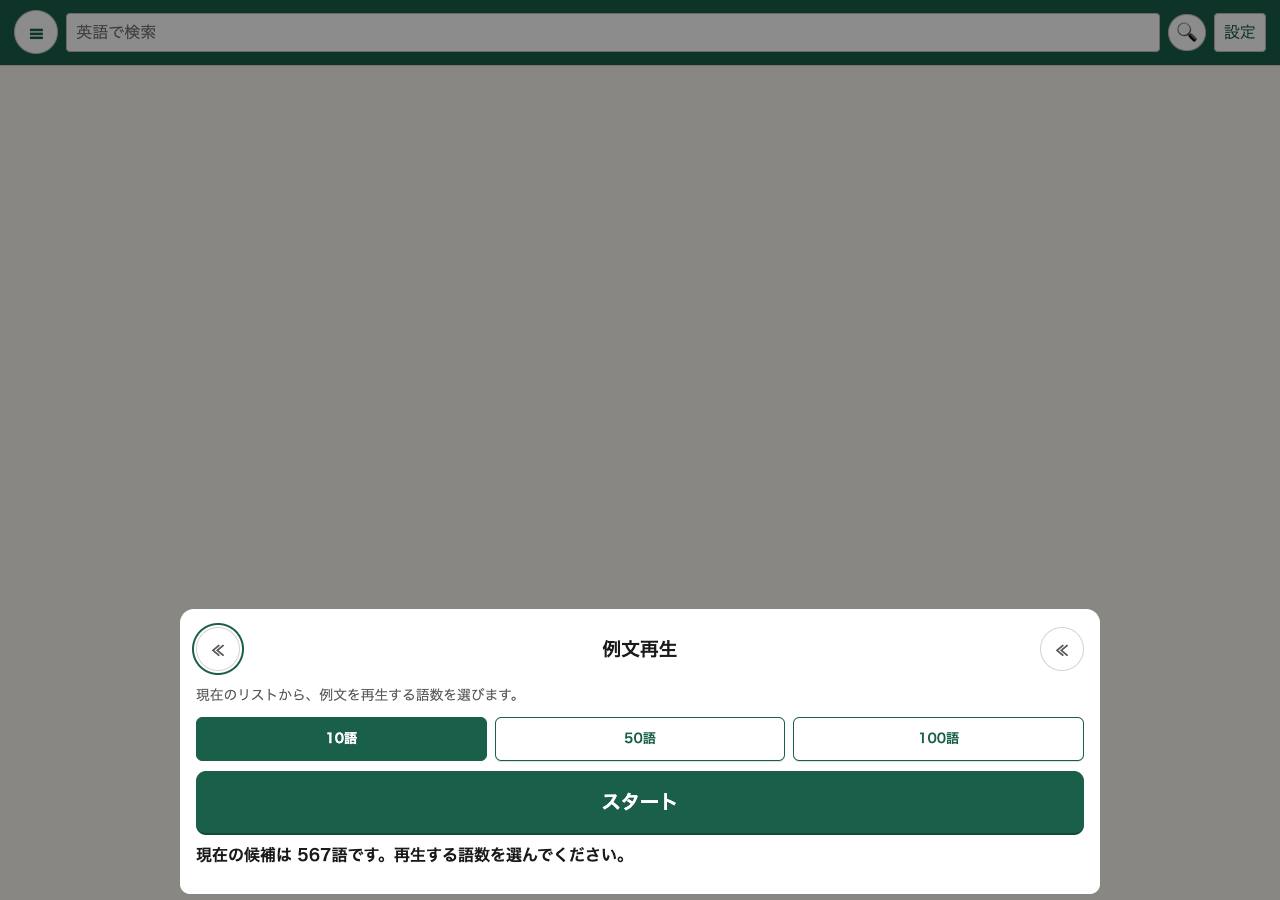
Playback study replays words and examples in sequence. Example playback walks through English and Japanese examples for selected words. Useful when you want ears-only review on the move.
Read-aloud quality and scope depend on browser, OS, device speech settings, and plan.
Study at the right level
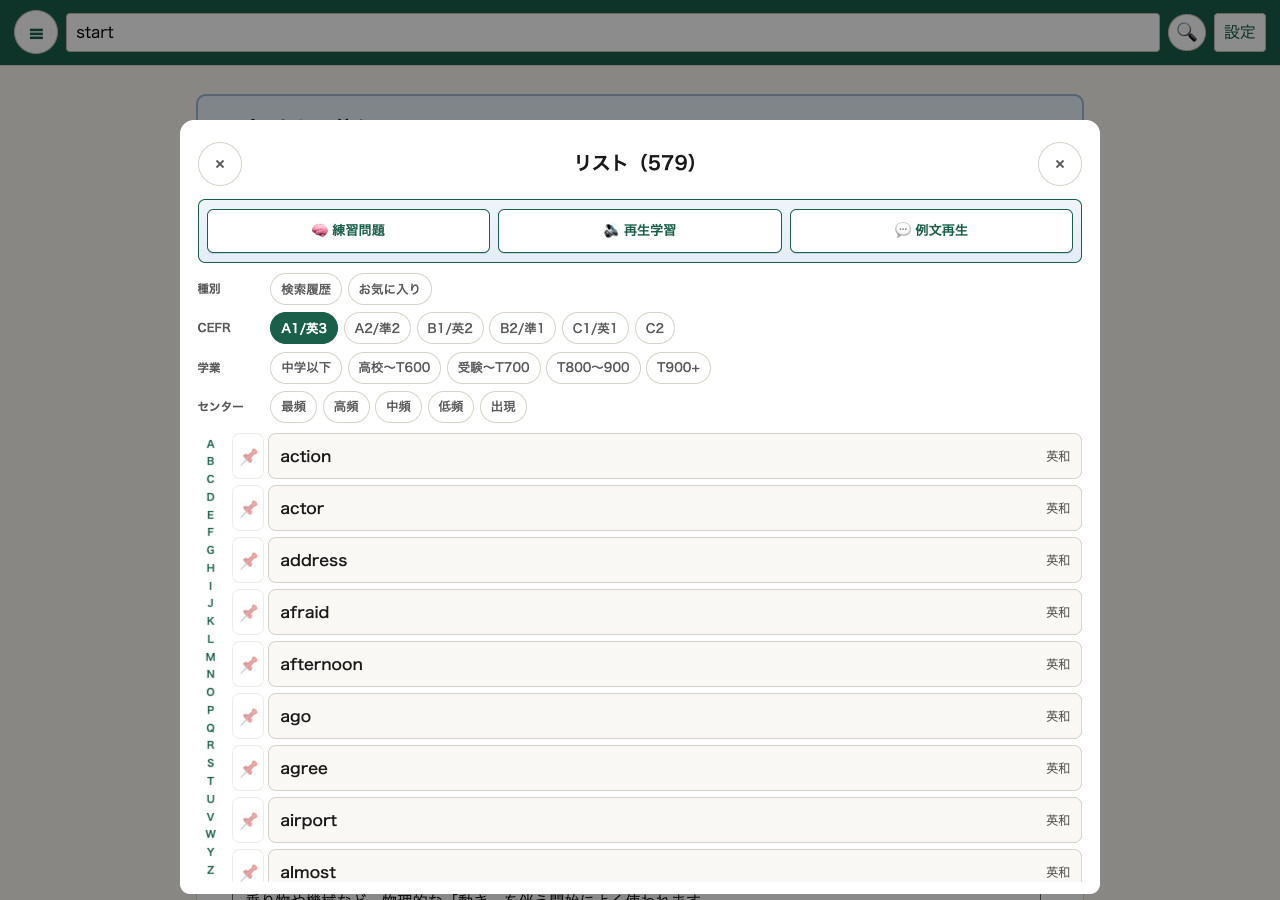
Vocabulary study works best when range matches your level. OrigDic shows CEFR with Eiken grades plus school level and COREWO4500 as guides.
- CEFR and Eiken grades
- Guide mapping: A1 (Grade 5), A2 (Grade 4), B1 (Grade 3), B2 (Grade Pre-1), C1 (Grade 1).
- School level
- From junior high English through exams and TOEIC bands as study stage guides.
- List filtering
- Organize practice words by chosen level or list type (history, favorites).
Retain with pronunciation and examples
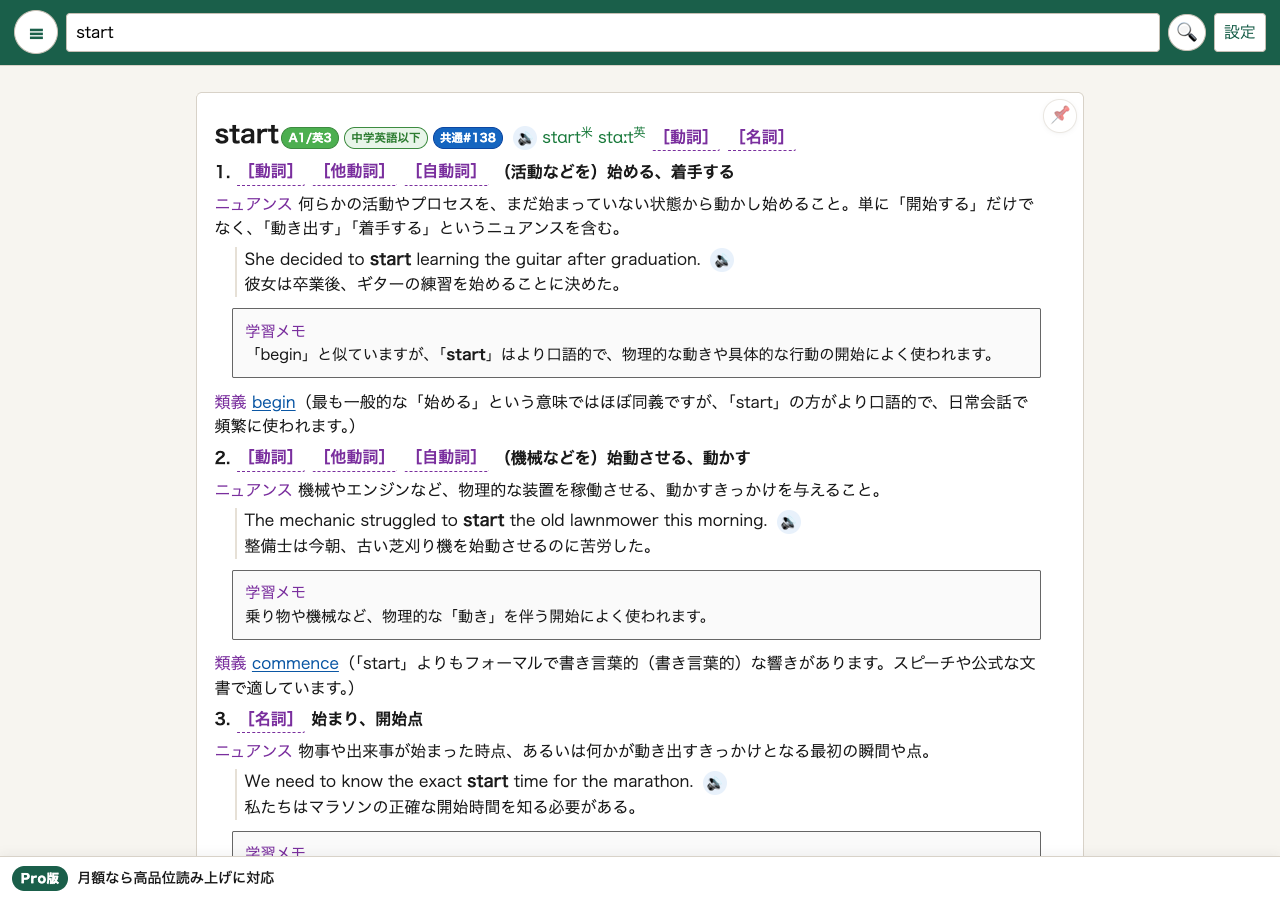
Link spelling, meaning, and sound. OrigDic shows IPA and read-aloud for headwords and examples. Study notes and nuance notes help words stick in context.
Playback speed and auto read-aloud are adjustable in production PWA settings.
Features that support continuity
Results come from consistency. OrigDic records practice achievements as points and shows recent gains. History and favorites let you resume where you left off.
- History: Review recent lookups immediately
- Favorites: Build a personal list of weak or key words
- Points: Visualize small wins
- On-device storage: Dictionary data on device for offline-friendly study
Planned learning packs
To broaden vocabulary study, we plan packs such as:
- Eiken practice packVocabulary checks and drills by grade and range.
- TOEIC practice packDrills aligned with score bands and question styles.
- Japanese–English and multilingual packsFind English from Japanese and grow expression.
Timing, scope, and terms may change with development.
Free, Pro, and study range
The current public release offers free and Pro dictionary packs. Catalog word counts at verification: Free 1,025 words, Pro 16,771 words. Study breadth depends on pack and plan.
See the production PWA for pricing, authentication, and payment details.
Related pages
Start learning with OrigDic
Review today’s looked-up words in the same OrigDic app.
 »
»